We hope you’re enjoying your experience with ChatGPT and it’s ability to transform your business! 🤖
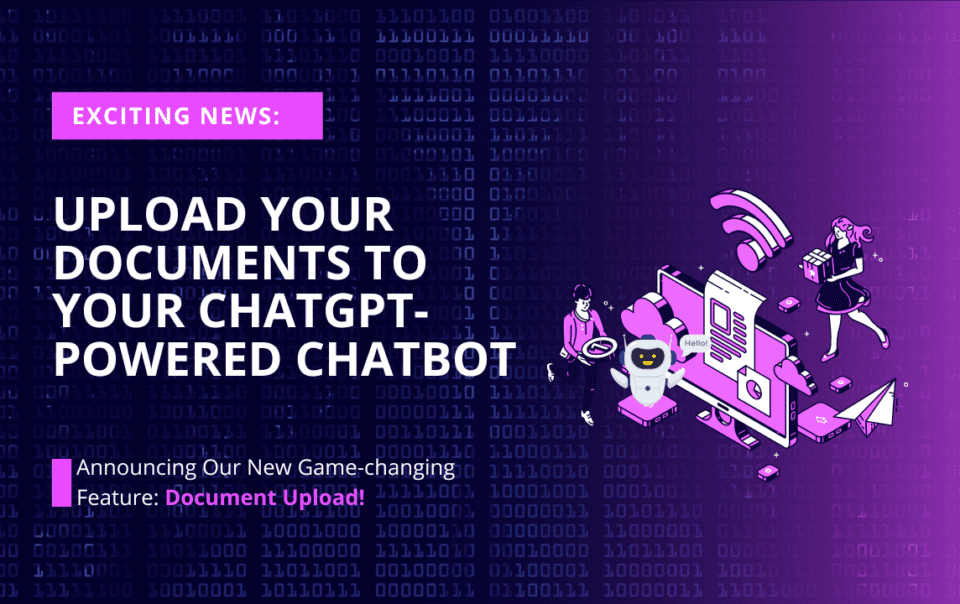
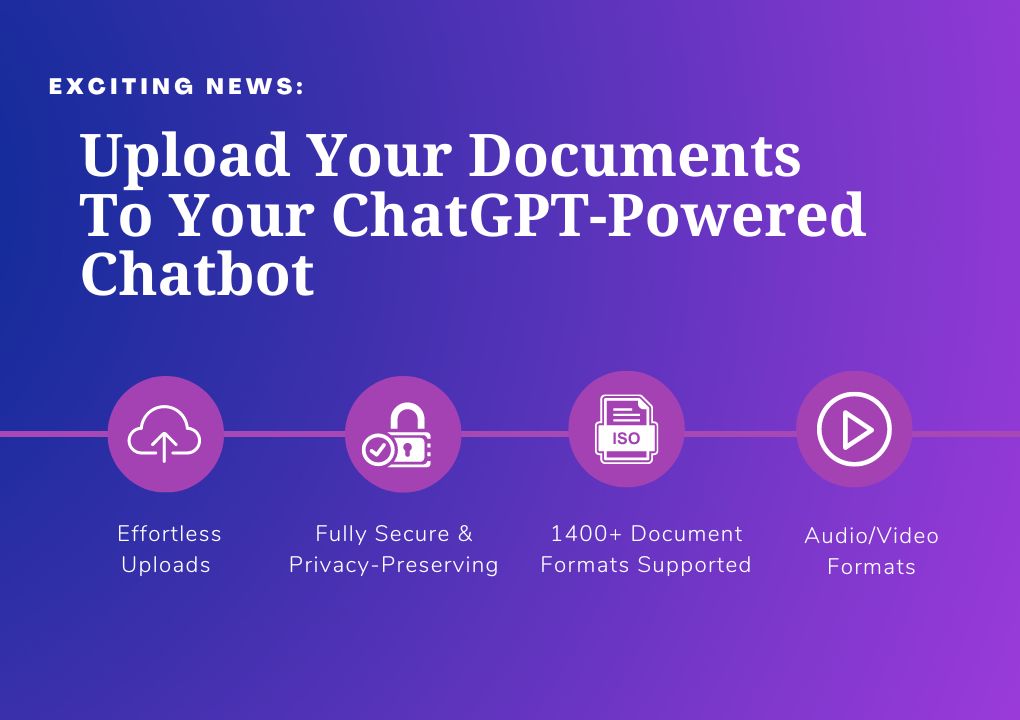
We’ve been working hard to enhance our ChatGPT-4 powered chatbot ingestion methods, and today, we’re excited to announce our game-changing, new feature: Document Upload! 📁

Upload Documents To ChatGPT-Powered customer-service Chatbot
Here’s what’s new:


Ready to experience the power of Document Upload?

Happy chatbot building!
Case Study
Matthew Karp is a strategic HR Operations leader and uses AI to help HR departments use AI effectively to improve their operations. By uploading HR documents like employee guides and self-help documents, HR teams can become more efficient in their operations. In some cases, by using chatbots like customer-service that can answer questions based on your documents, you can have employees quickly get answers to their questions – without waiting on the HR team.
Ninja Tip (from Matt) : By connecting the customer-service chatbot to Twilio, you can provide non-technical employees who don’t have access to desktop customers with access, via phone and SMS, to the knowledge in your HR documents. For example: Manufacturing employees who only have phones can call or text a number and get answers exactly from the documents, without fearing that ChatGPT will make things up.
FREQUENTLY ASKED QUESTIONS
- How is this different from free sites that allow me to upload a PDF?
This system is designed to be business-class commercial scale. We support 1400+ document formats and the platform is built to process multi-gigabytes of documents. In addition, we strive for the highest security principles.
- What file formats are supported by the “Upload” feature?
We support over 1400+ document formats. From popular formats like PDF, HTML, and Microsoft Office documents to less common ones such as RTF, Email Archives (mbox), zips, and more – we’ve got you covered!
- Is there a file size limit for uploading documents?
Yes – each file cannot exceed 100MB at this time. If your file is larger than that, we suggest using an online file splitter to break it up into smaller files.
- Can I upload multiple files at once, or do I need to upload them one by one?
Yes – you can upload upto 1GB of data in batches of 50 files.
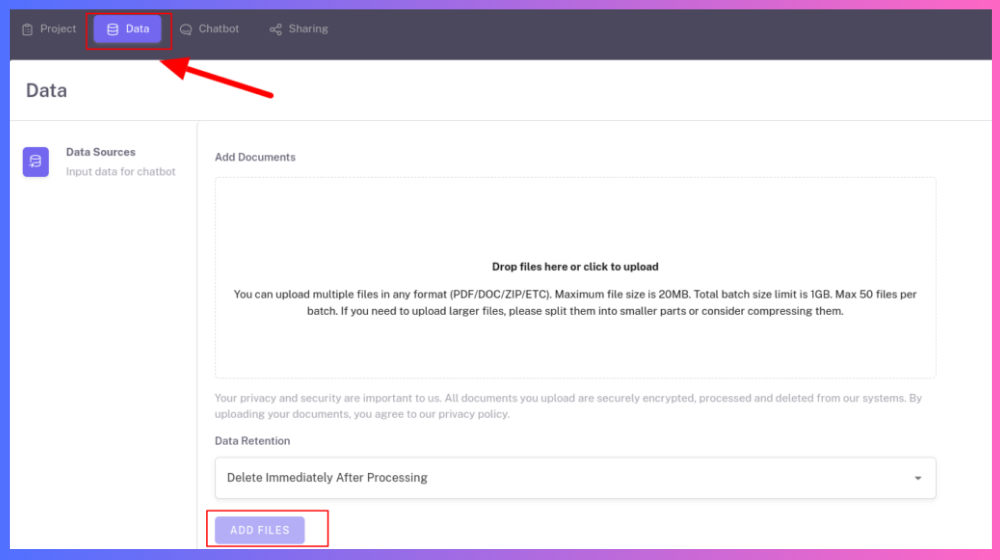
- How do I access the “Upload” feature within the platform?
Please select the “Upload” option in the “Create Project” flow.
- Can I add more files to an existing project using the “Upload” feature?
Yes – Just navigate to “Data” tab in the “Project Settings” and use the “Add Files” option.
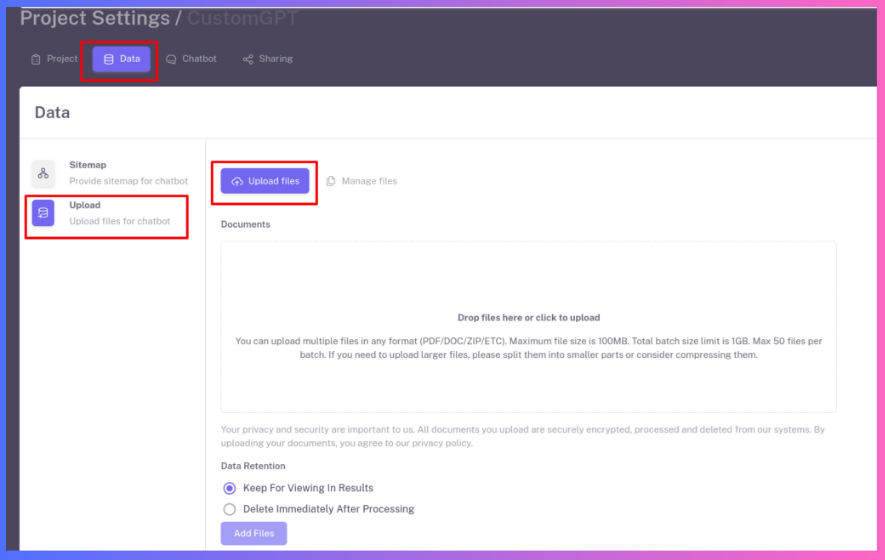
- Is my data secure and private when using the “Upload” feature?
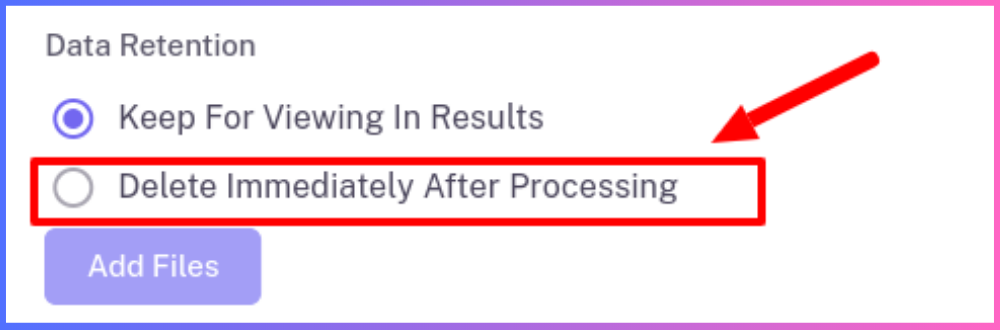
Yes. You can view our full security principles. And for added peace of mind, you can even choose the “Delete Immediately After Processing” option that immediately removes the files from our system after processing.
- Are there any restrictions on the number of files I can upload based on my subscription plan?
Yes – the number of files is limited by the subscription plan, though its unlikely you will hit that limit (For example: the $49 plan allows 1,000 files). Do note though, that the amount of words is limited based on the subscription plan. For example, the $49 plan allows about 10M words.
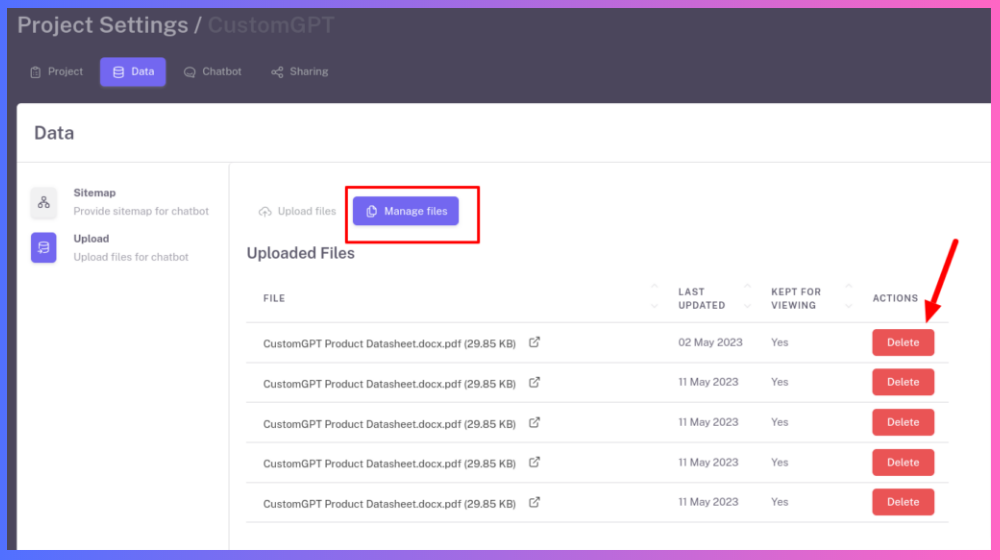
- Can I delete or replace files after they have been uploaded?
Yes – Just navigate to the “Data” tab in the “Project Settings” and you can “delete the files”Manage Files” from our system and the index.
- How does the system process and utilize the uploaded documents to enhance the chatbot’s knowledge?
The system extracts text from the uploaded documents and then uses OpenAI’s large language model (LLM) called “embeddings” to index the text chunks. These embeddings are then used to do a semantic search when the chatbot is asked a question (Here is a tutorial on how this process works)
- Is it possible to integrate the “Upload” feature with other applications using the REST API?
Yes – our API is now live (See documentation). You can also refer to the cookbook for some quick examples.
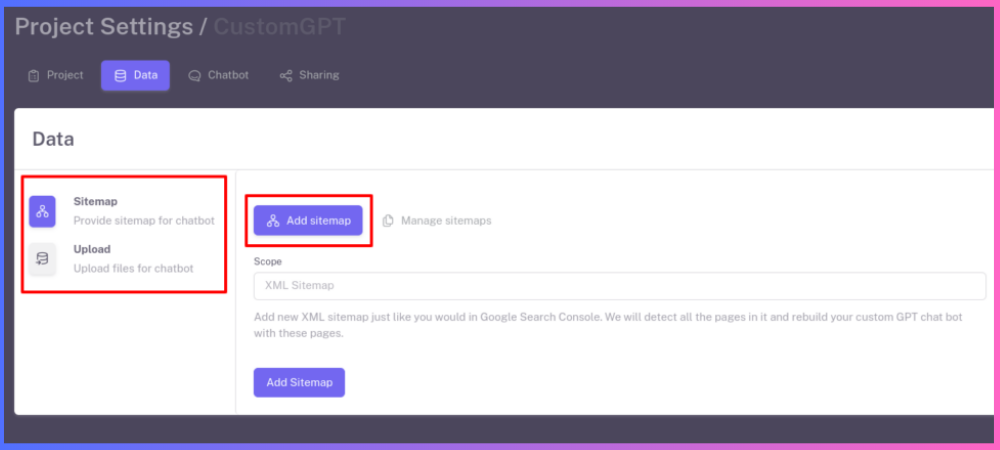
- Can I mix sitemaps and uploaded files? I uploaded files, now I want to add my Youtube channel.
Absolutely. Now, with our multi-source data integration feature, you can mix-and-match various sources.
So you can technically start by uploading files. Then add your website. Then add your Youtube channel and so on. This way, your chatbot gathers more and more intelligence from which to draw its answers from.
- How can I make sure the chatbot answers only from my uploaded documents?
With customer-service, this is the default behaviour. We have built a rock-solid wall around the ChatGPT responses so that it does not hallucinate and make things up. This is an unique feature of customer-service and is important to businesses to ensure trust in the responses.
- I uploaded multiple documents to my chatbot. Can I see which document was used in the ChatGPT response?
Yes. We created a feature called “ Citations “. This shows you the sources of the text that were used in creating the response. This is very important to businesses to ensure trust in the responses.
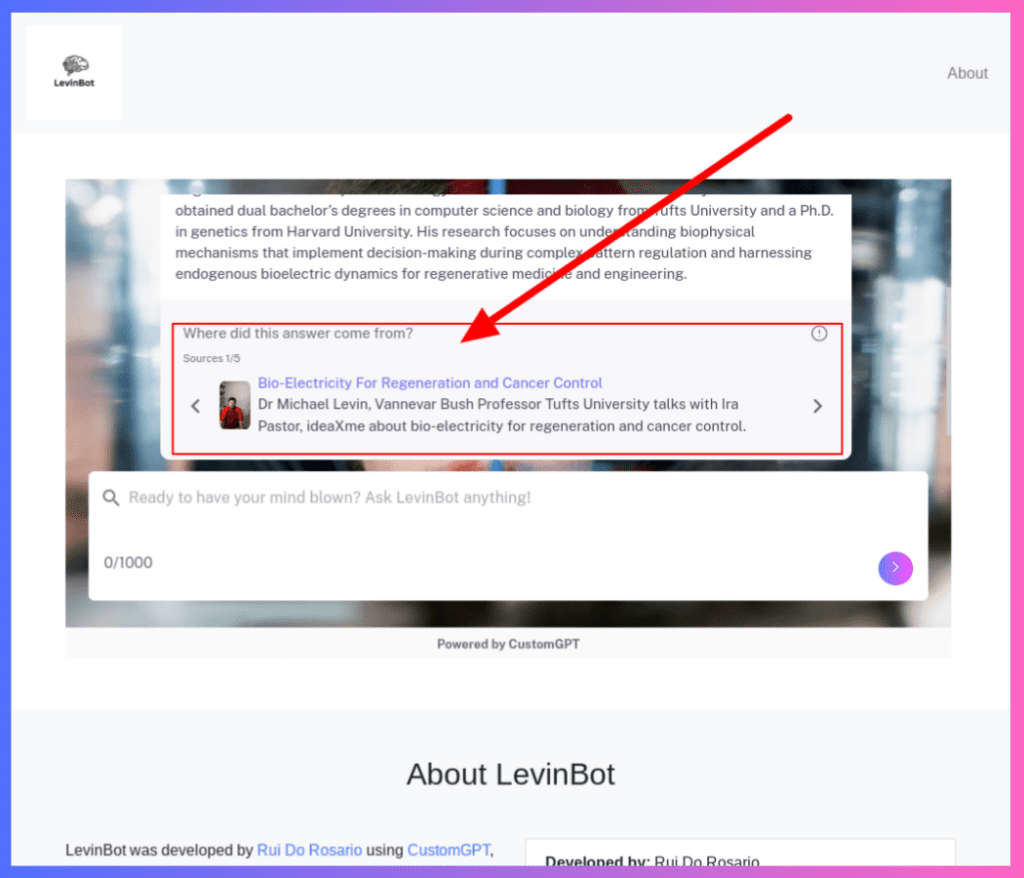
ChatGPT Powered Custom Chatbot Showing Citations and Sources